Tomaz Canabrava Ramblings
Harmonicon's bending trainer
A short tour of Harmonicon’s bending trainer: one hole, one bend, and a live picture of your pitch.
Harmonicon's song editor, explained with one song about a jumping harmonica
A walk around Harmonicon’s song editor, with O Pulo da Gaita loaded in it, and a colour legend that knew better than I did.
Harmonicon v0.0.11, or, the harmonica I made up
I tagged v0.0.11. Most of it I already wrote about, so this one is mostly about the chromatic harmonica I shipped, which turns out to be an instrument that does not exist and never has.
Harmonicon Weekly Update: any harp, any file
A week on Harmonicon, in which a property test finds a bug that has nothing to do with the property test, a bass line lies about being a harmonica, and my build directory reaches 300 gigabytes.
Harmonicon: a rhythm game you play on a real harmonica
For once, something on this blog that isn’t C++.
Harmonicon is a rhythm game for blues harmonica. Notes scroll toward a hit line and you play on an actual harmonica, into your microphone, and the game listens.
The idea
The harmonica is cheap, fits in a pocket, and it hides everything: the reeds are inside, your tongue and throat do most of the work, and nothing about the instrument tells you whether the note that just came out is the note you meant. You can practise a bend wrong for a month quite happily.
Let the instrument be the input. Harmonicon captures the microphone, runs pitch detection on it in real time, and scores what you actually played against the chart. Every note you score is a note you genuinely hit.
Playing a song
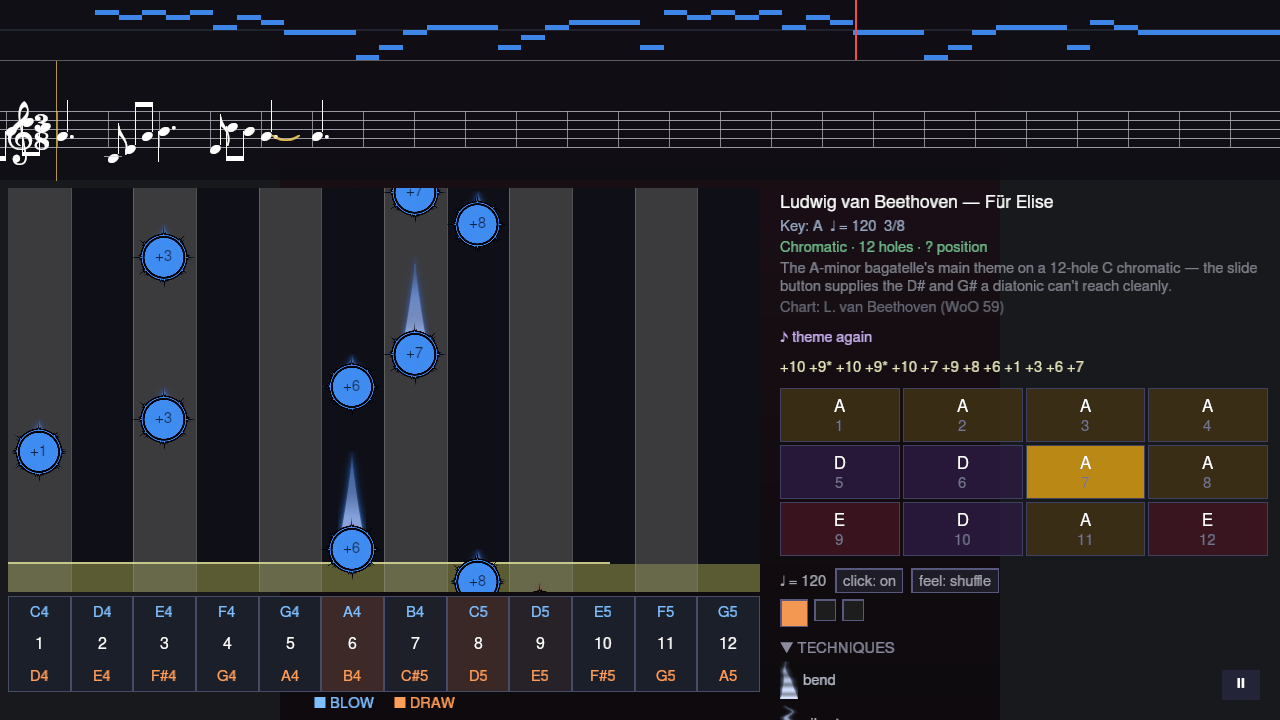
The default view is one lane per hole: ten for a diatonic, twelve for a chromatic, taken from whatever the chart was written for. Blue notes are blows, orange are draws, and the number on each is the hole you need. Above the lanes there’s the phrase in standard notation and as harmonica tab, because those are the two ways harmonica players actually read music, and the panel on the right tells you which harp to pick up and which position you’re playing in.
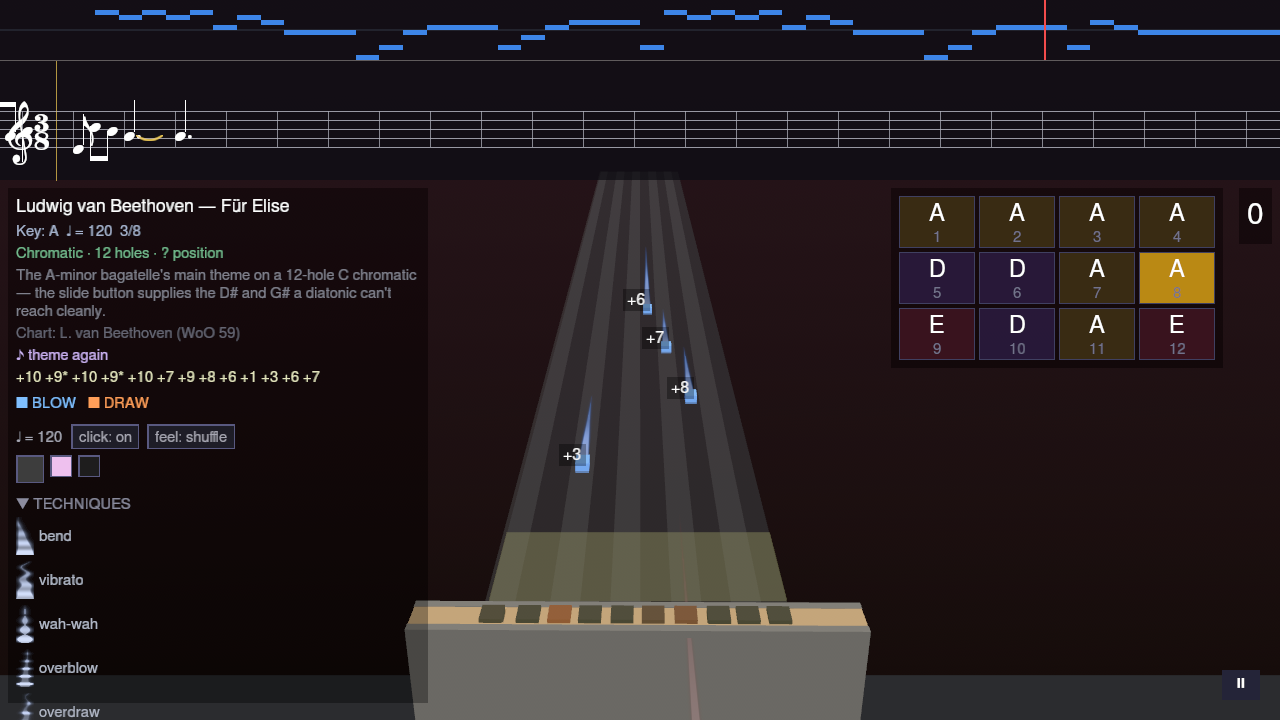
There’s also a 3D view, which is the same game rendered around a harmonica model that moves with the beat.
FOSSASIA 2026: Bangkok, Booths, and the Hallway Track
I went to FOSSASIA Summit 2026 in Bangkok, and I took the time to write this report because of how much things happened in three days, also because I am not much of a blogger.
FOSSASIA is Asia’s big open source event and this year it took place at True Digital Park West - a rather exageratted shopping mall and convention center, which was great because whenever I was hungry I could just quickly go eat some lovely thai dishes, and back.
…Codevis Weekly Update
Welcome to the first “Codevis Weekly Update”
What is Codevis?
Codevis is a tool to help developers manage large codebases, sponsored by Bloomberg, developed by Codethink and hosted on the KDE Infrastructure, with all that, completely opensource with a permissive license. Codevis uses a mix of technologies to do what it does, mainly LLVM and Clang to do the heavy lifting of understanding C++ Codebases, Qt for Callback management (in the form of Signal/Slots), KDE Frameworks libraries for the desktop application, and pure Qt for the CLI application. The database layer is written with Soci , the same database layer used in CERN, targeting sqlite3.
But How does it work?
Codevis analyzes all the visible source code from your project and creates a graph database (using a relational database) in a way that the analyst can load and interpret information from the codebase without loading the codebase. The graph-database is comprehensive, and has all the information we think it’s important, and also a lot of information that’s good to have, with a bunch of information because why not. Since something that’s not important for me could be really important for a company with billions of lines of code.
It just generates visualization?
No. Codevis also allows you to draw your software architecture and generate ready-to-compile c++ code from it. Think of this as a possibility to have C++ templates for complex projects tha are also visually documented. You can create libraries, classes, structures, connect them quickly on a dirty mockup during a meeting, and the output could be 60 c++ files on disk with all the classes, folder-hierarchy and CMake ready to compile.
This will not add any method or implement anything, but just the creation of the C++ files and CMake scripts from a small architecture meeting is pretty interesting in my point of view.
…- ← Prev
- 1 of 2
- Next →